
Digiscoping · Buying guide
Best phone adapters for spotting scopes
Compare spotting-scope smartphone adapters by eyepiece clamp, phone width and adjustment axes. Learn how to check compatibility before buying.
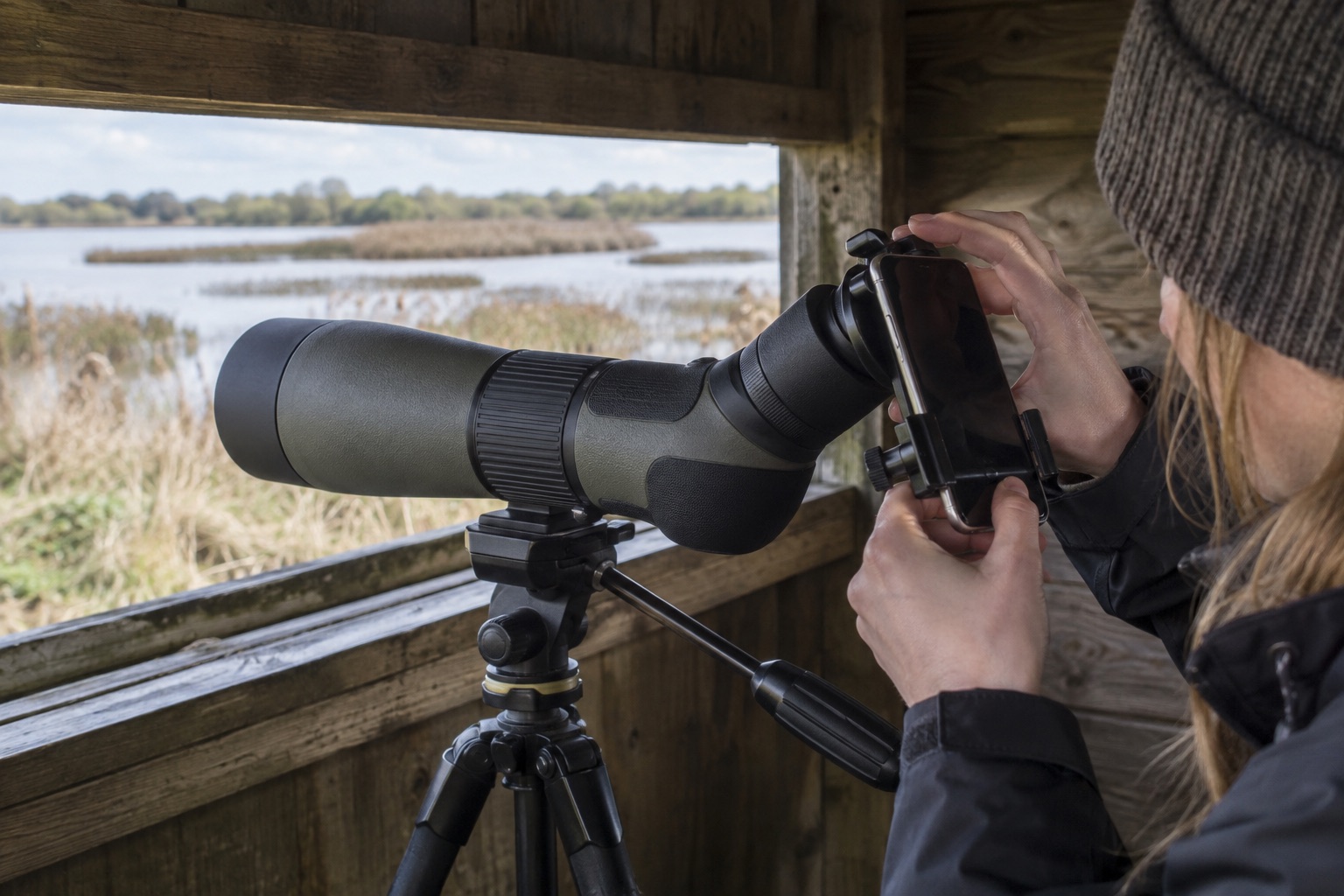
Measure the actual grip point, not the eyepiece lens diameter.
Choose the phone's primary camera lens and align it over the exit pupil.
A stable tripod matters more than digital zoom.
Quick picks
Choose by the detail that matters most
Links open the matching Amazon UK listing. Prices and sellers can change, so confirm the model name and ASIN before buying.
Swipe to compare all details →
| Adapter | Eyepiece clamp | Phone width | Alignment | Main advantage |
|---|---|---|---|---|
| NexYZ 81055 | 35–60mm | 65–90mm | X/Y/Z | Fine three-axis alignment |
| NexGO 81036 | 25.4–44.45mm | 58–103mm | X/Y | Compact and foldable |
The detailed shortlist
Two exact Celestron adapters
Measure your eyepiece and phone, then check the maker's current compatibility information before ordering.

Celestron NexYZ 81055 three-axis phone adapter
Best for: Repeatable phone positioning
An X/Y/Z-adjustable smartphone-to-eyepiece mount that helps position a phone camera and set its distance from the scope's eyepiece.
What stands out
- X, Y and Z adjustments
- 35–60mm standard eyepiece clamp range
- Phone clamp spans 65–90mm
Keep in mind
- Check phone case thickness and eyepiece shape
- At 283g it adds weight behind the eyepiece
- 35–60mm eyepiece clamp
- 65–90mm phone clamp
- 283g
- Three-axis adjustment

Celestron NexGO 81036 two-axis phone adapter
Best for: Smaller compatible eyepieces
A folding X/Y-adjustable smartphone-to-eyepiece mount suited to smaller-diameter eyepieces within the maker's stated clamp range.
What stands out
- X and Y alignment controls
- Folds for transport
- Phone clamp spans 58–103mm
Keep in mind
- 25.4–44.45mm eyepiece clamp excludes some wide eyepieces
- No independent Z-axis adjustment
- 25.4–44.45mm eyepiece clamp
- 58–103mm phone clamp
- Two-axis adjustment
- Folding body
A phone adapter holds the camera lens in line with the scope eyepiece so you can photograph or film the optical view. The biggest buying mistake is assuming “universal” means every eyepiece and every phone. The clamp must grip the right diameter; the phone holder must accommodate the phone you use; and the camera must reach the scope's exit pupil without the case or camera bump blocking alignment.
Measure before choosing
Measure the outside of the eyepiece at the place where the adapter will clamp. Celestron specifies a 35–60mm range for NexYZ 81055 and 25.4–44.45mm for NexGO 81036. These ranges overlap only from 35mm to about 44mm; one may fit an eyepiece the other cannot. For phone width, the stated ranges are 65–90mm for NexYZ and 58–103mm for NexGO. Cases, buttons and large camera islands can complicate an apparently compatible measurement. Celestron also provides a smartphone-adapter compatibility guide that is worth checking against the exact device.
NexYZ adds independent X, Y and Z adjustment, giving you more control over side-to-side alignment and distance from the eyepiece. NexGO is lighter and foldable, with X/Y adjustment. The choice is not simply premium versus basic: a NexGO that fits your eyepiece is useful, while a more adjustable NexYZ outside its clamp range is not.
Keep the optical setup simple
Mount the scope on a steady tripod and focus by eye first. Use low optical magnification to find the subject. Select the phone's main camera lens if your camera app allows it, then move the adapter until the bright circular view is centred. Remove a thick case if the clamp or lens distance demands it. Lock the phone only after it is supported securely, and use a short timer to avoid shaking the shot.
Do not expect the adapter to improve the scope's optics or cure heat haze. A crisp, still observation at moderate power is a better starting point than a dark, moving 60× image enlarged further by digital zoom. Our how to digiscope guide walks through the field sequence, including common black-ring and focus problems.
Fit is a three-part measurement
The eyepiece's outside diameter must fit the jaws at the position they actually grip. Then the phone body—including the case you intend to use—must fit its separate clamp range. Finally, the active camera lens must be able to line up over the eyepiece without a camera bump or thick case keeping it too far away. Passing the first two published ranges does not guarantee the third. If the eyecup folds or twists, check that the adapter does not rely on a loose rubber edge to carry the phone's weight.
NexGO's lower eyepiece range can suit a smaller scope eyepiece and its wider phone-width range may accommodate a larger handset, provided the camera can be centred. NexYZ offers depth adjustment that can help a difficult optical alignment, but it cannot grip a phone or eyepiece outside its physical ranges. The binocular adapter guide uses the same products for a different eyepiece shape; do not assume that compatibility transfers between instruments.
Troubleshoot before changing products
If the image is a black crescent, first recentre the active lens. If the ring is centred but small, alter the lens-to-eyepiece distance where the mount allows it and check the scope's eyecup position. If the phone app switches from the main camera to a wide or telephoto module, lock or select the intended lens if the app supports it. A soft whole-frame image calls for focus and support checks, not a different clamp. Keep the tripod head locked during initial alignment and release the phone only when the adapter demonstrably holds it without slipping.
Frequently asked questions
Phone-adapter questions
Will a universal phone adapter fit my scope?
Not automatically. Measure the eyepiece exterior at the clamp point and your phone's clamped width. Check protruding camera modules, cases and the manufacturer's compatibility notes.
Is three-axis adjustment worth it?
It can make it easier to align the phone lens with the eyepiece and set the camera distance, particularly with an awkward camera layout. It adds bulk and setup time compared with a simpler adapter.
Can I use a phone adapter without a tripod?
You may capture an occasional low-power image, but the combined scope, adapter and phone are hard to keep aligned by hand. A stable tripod makes the process far more practical.
Why do I see a black circle in phone photos?
The camera may be off-centre or too far from the eyepiece, or the scope's field may not fill the camera view. Align at low scope power before making small adjustments or modest camera cropping.